Screenshots
Explore the Contao Manager API Browser interface through these screenshots showcasing key features and functionality.
Table of contents
- Dashboard Overview
- Adding New Sites
- Site Management Interface
- Workflow Execution
- History and Audit Trails
- Dark Mode Support
- Mobile Responsive Design
- Interface Design Principles
- Feature Comparison
- Getting Started with the Interface
- Real-World Usage Scenarios
- Technical Implementation
Dashboard Overview
The main dashboard provides a centralized view of all your managed Contao sites. Each site appears as an informative card showing status, last activity, and quick action buttons.
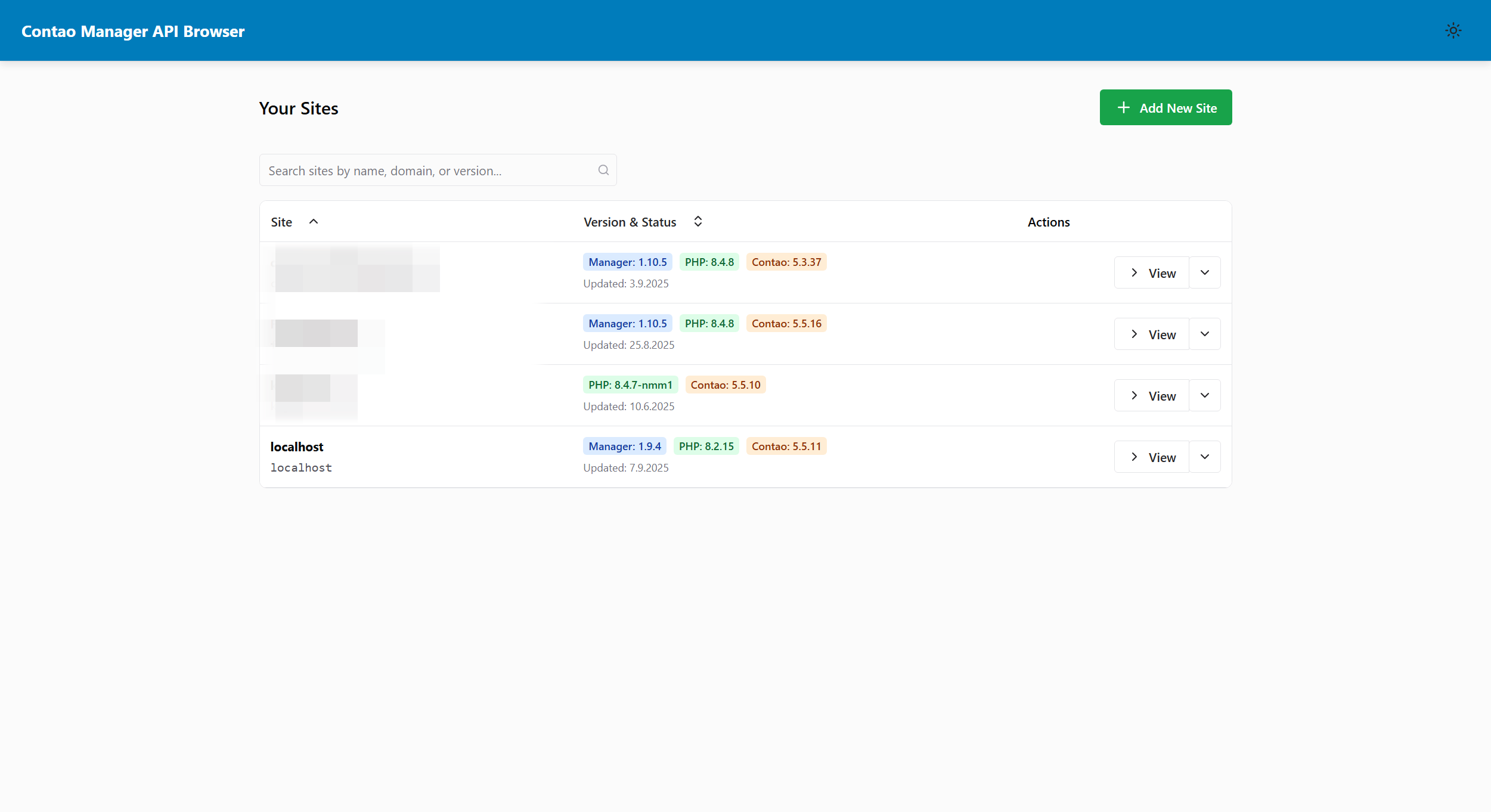
Key Features Shown:
- Clean, card-based site layout
- Status indicators for each site
- Quick access to common operations
- Modern, responsive design
- Theme toggle in header
Adding New Sites
The site addition process is streamlined with a clear form interface for entering Contao Manager details and selecting appropriate permissions.
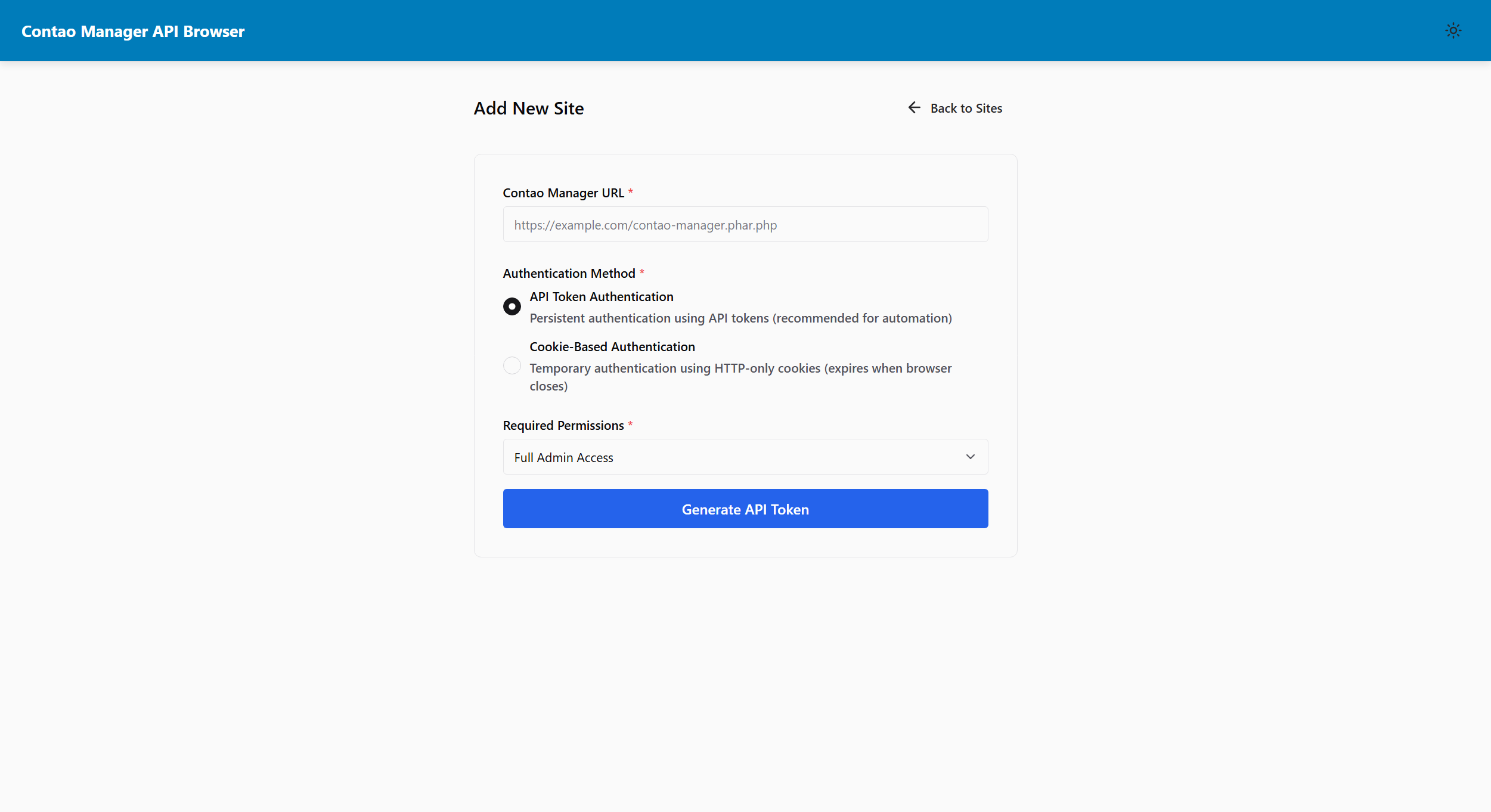
Features Highlighted:
- URL input with validation
- Permission scope selector with descriptions
- Clear call-to-action buttons
- Helpful guidance text
- Form validation and error handling
Site Management Interface
Each site provides a comprehensive management interface with tabbed navigation for different aspects of site administration.
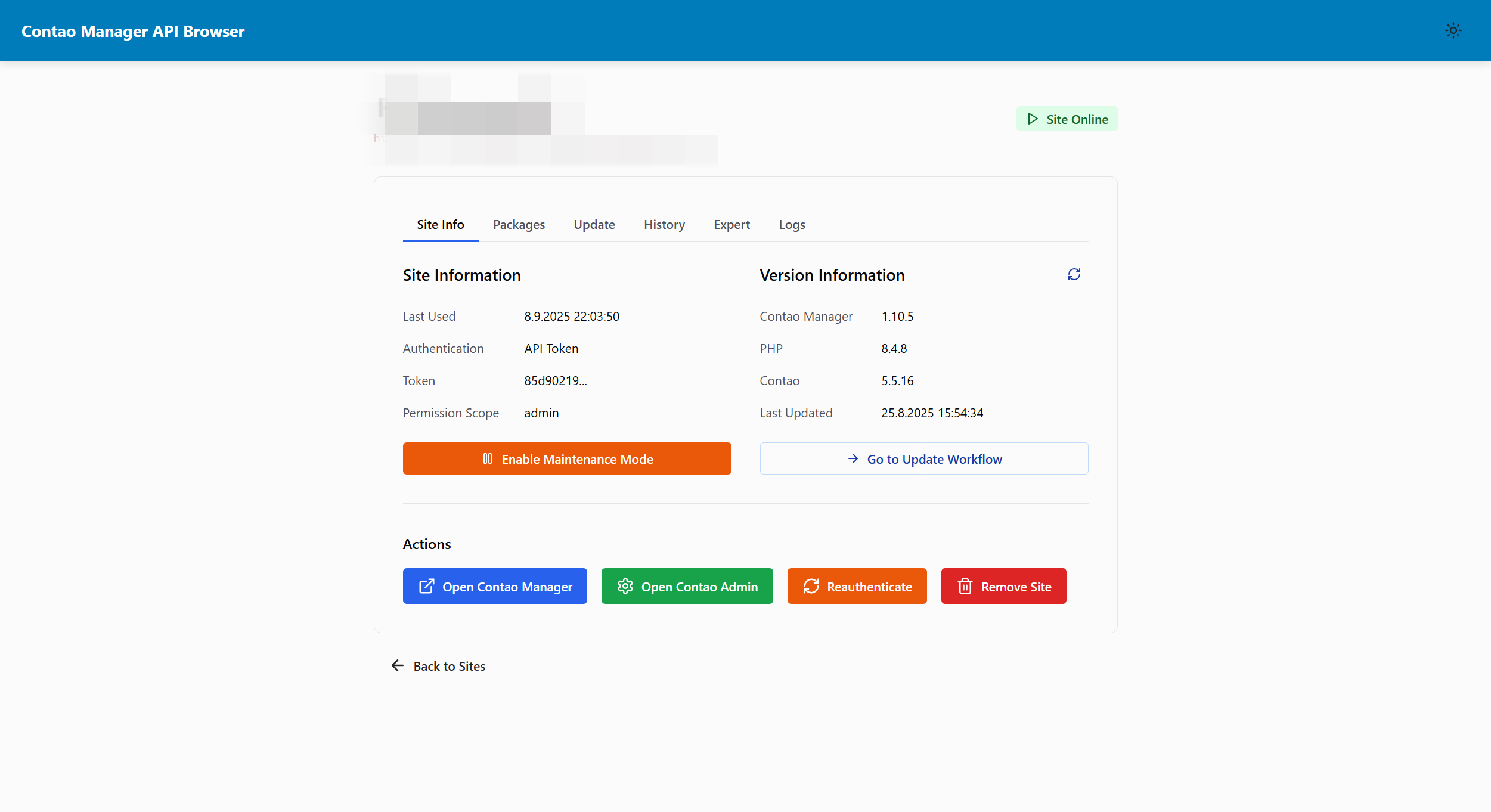
Interface Elements:
- Tabbed navigation (Info, Expert, Logs, History)
- Site status and information display
- Action buttons for common operations
- Breadcrumb navigation
- Context-sensitive help
Workflow Execution
Complex operations like composer updates run as visual workflows with timeline-based progress tracking and step-by-step visualization.
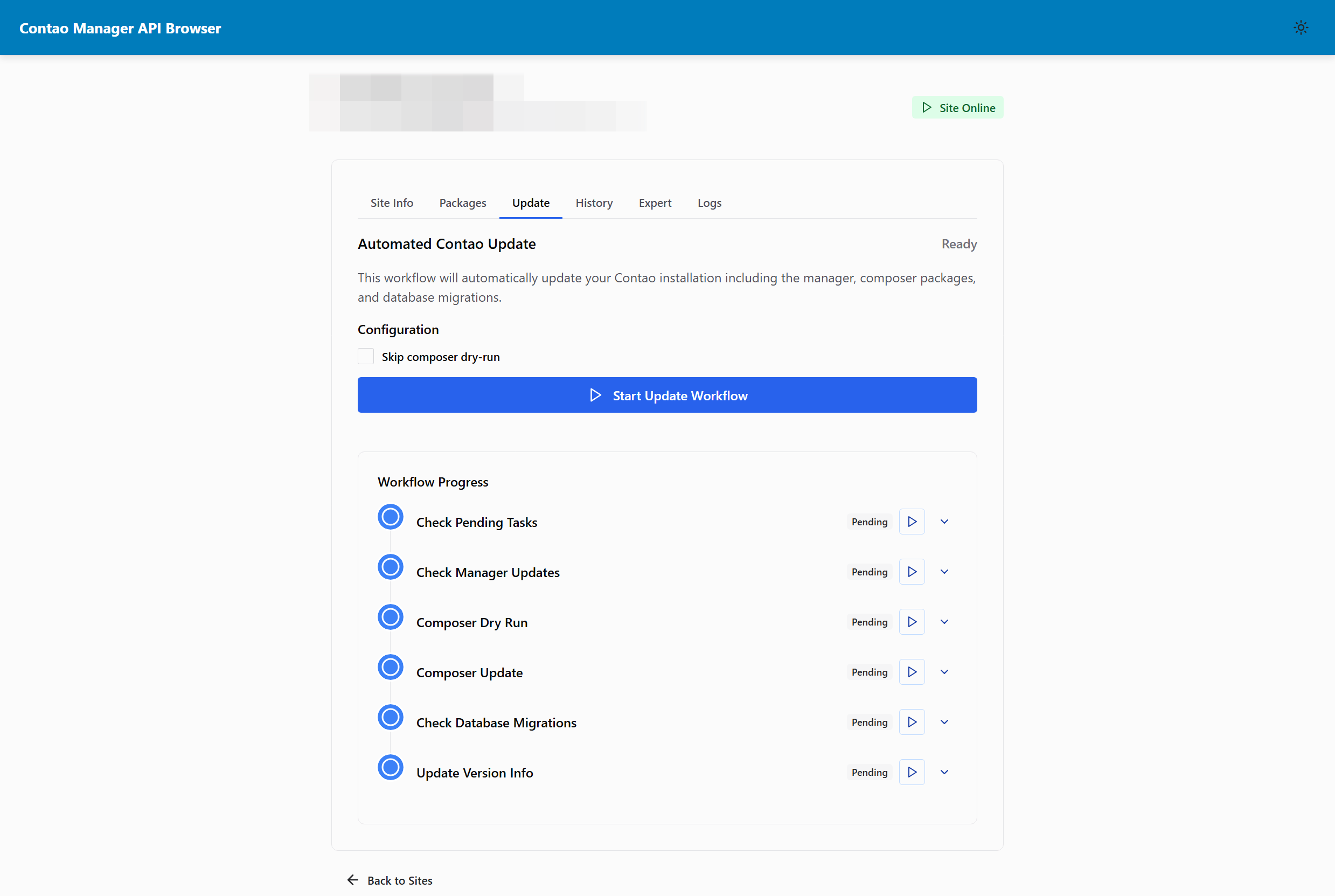
Workflow Features:
- Timeline visualization of progress
- Step-by-step execution tracking
- Real-time status updates
- Pause/resume capabilities
- Detailed step information
- Error handling and recovery options
History and Audit Trails
Complete execution history with detailed logging provides full transparency into all operations performed on your sites.
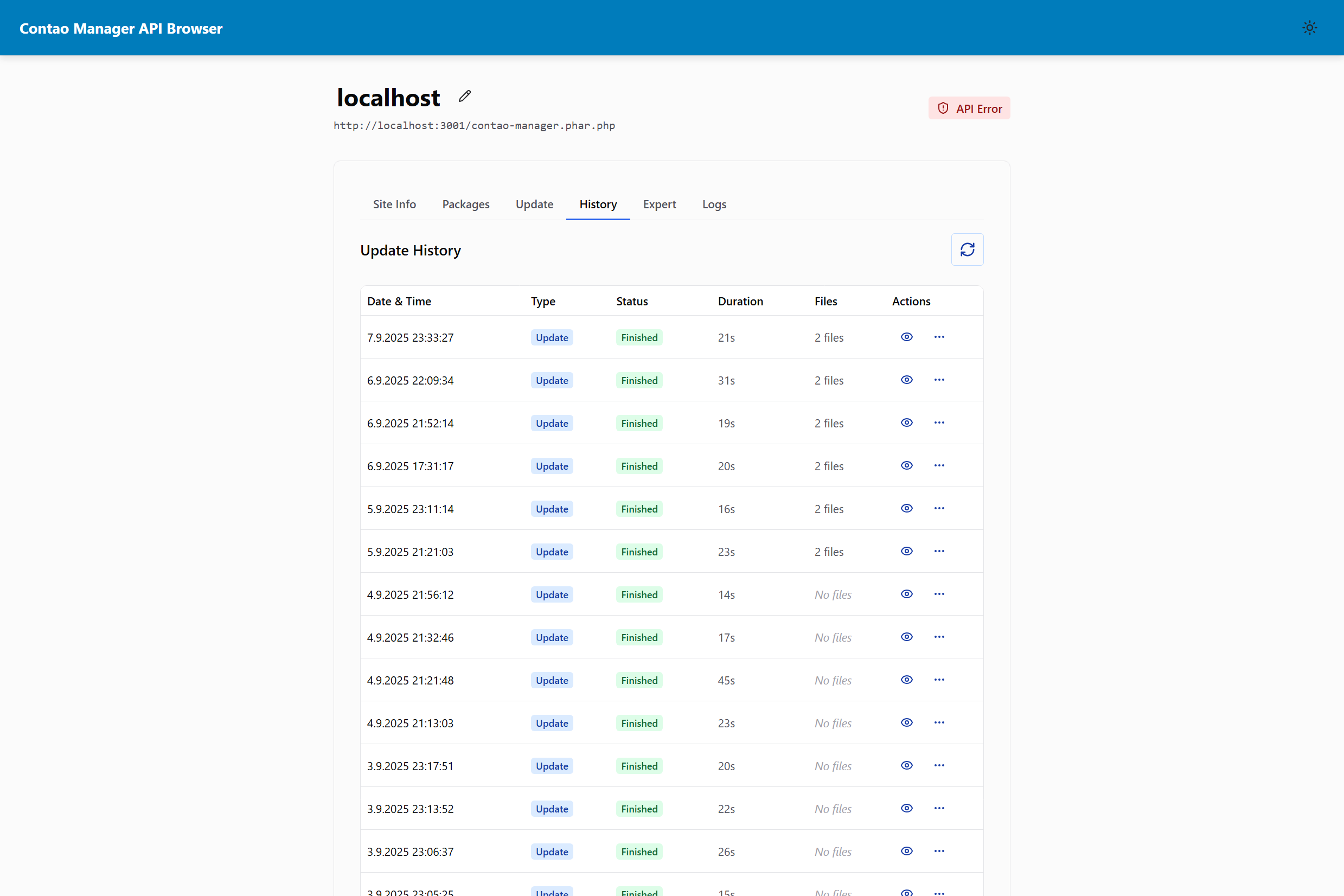
Audit Capabilities:
- Chronological operation history
- Detailed execution information
- Success/failure tracking
- Searchable and filterable logs
- Export capabilities for compliance
- Performance metrics and timing
Dark Mode Support
Full dark mode support provides comfortable viewing in low-light environments while maintaining excellent readability and visual hierarchy.
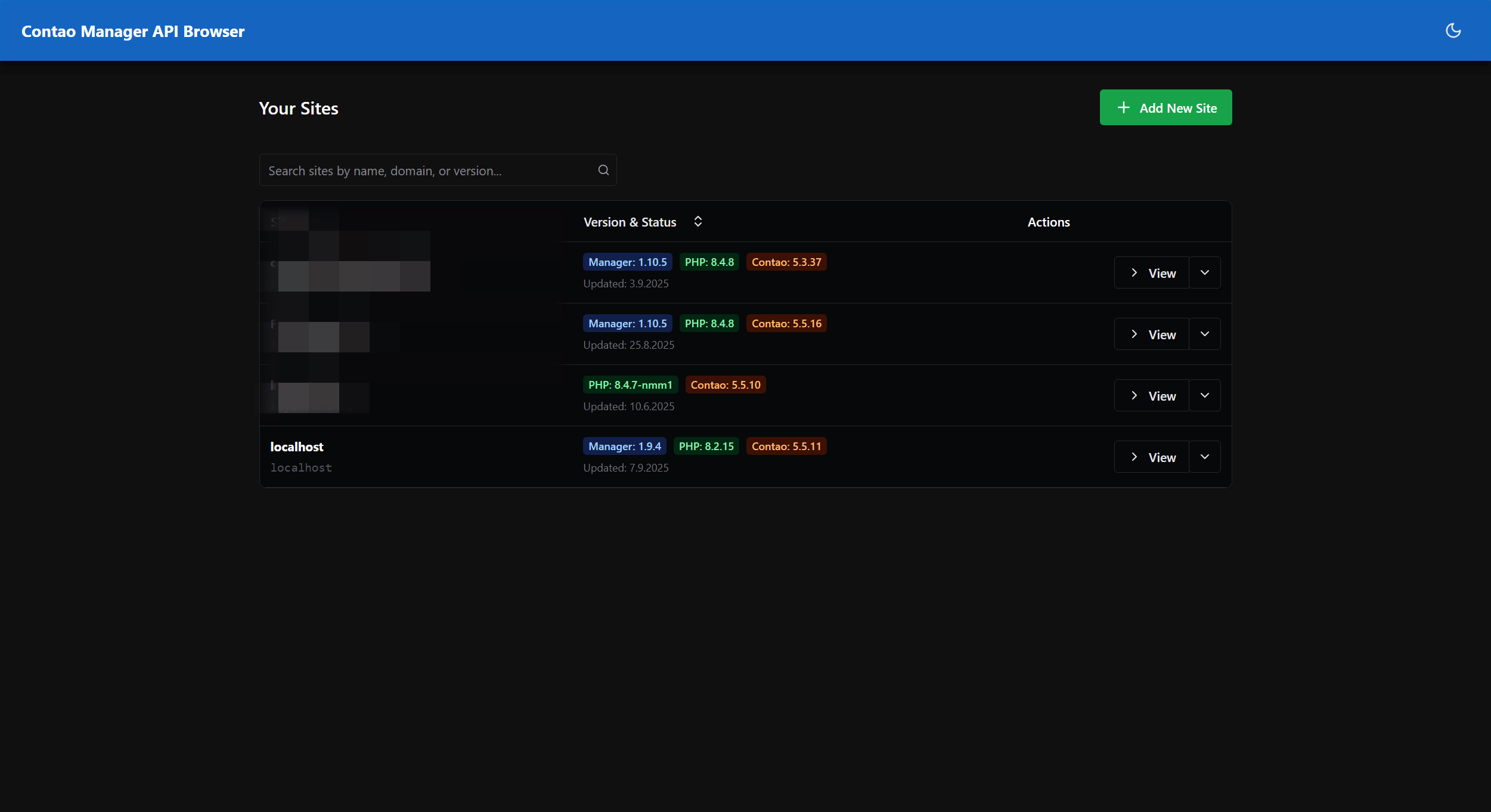
Dark Mode Benefits:
- Reduced eye strain in low-light conditions
- Professional appearance
- Consistent with system preferences
- All interface elements properly themed
- Instant theme switching
- Persistent preference storage
Mobile Responsive Design
The interface adapts beautifully to mobile devices, providing full functionality in a touch-optimized layout perfect for on-the-go management.
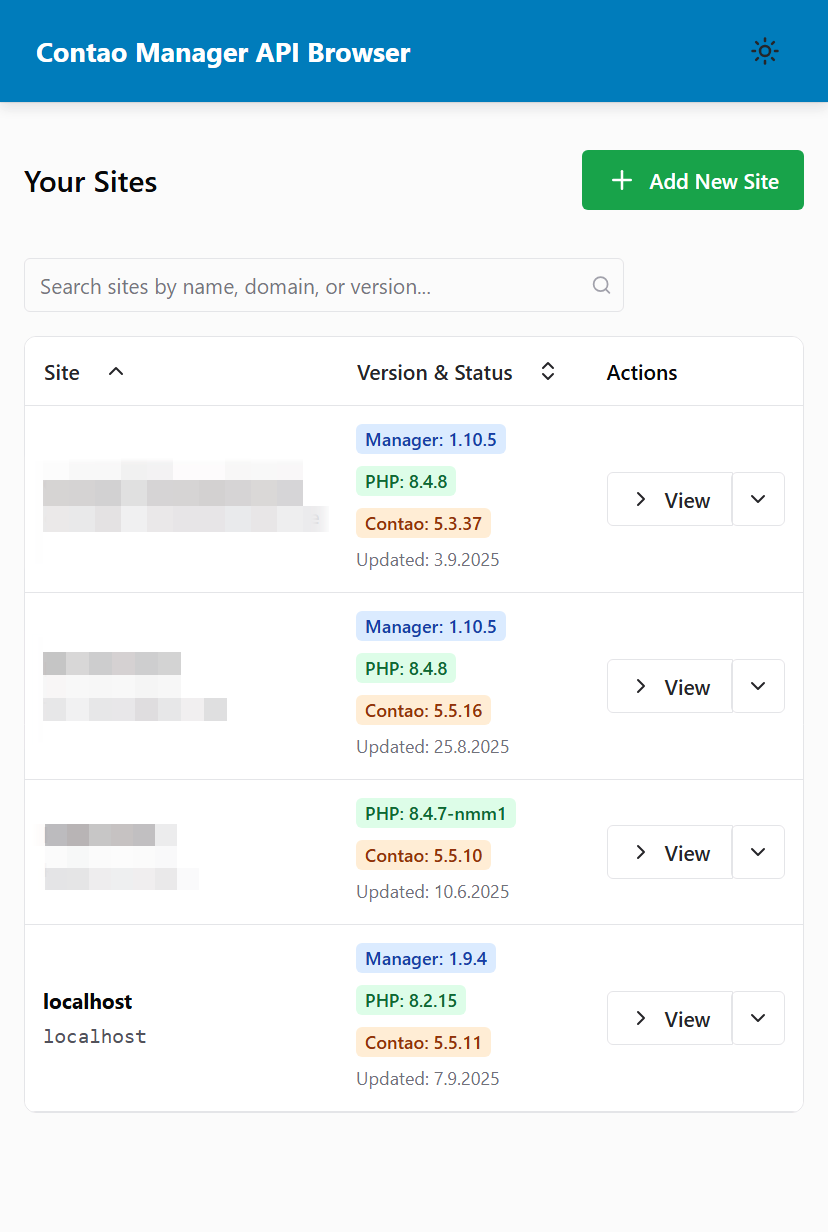
Mobile Optimizations:
- Touch-friendly interface elements
- Optimized navigation for small screens
- Essential functionality prioritized
- Readable text and clear buttons
- Swipe gestures support
- Portrait and landscape layouts
Interface Design Principles
Visual Hierarchy
The interface uses clear visual hierarchy with:
- Primary actions emphasized with prominent buttons
- Secondary information in supporting text
- Status indicators using color and iconography
- Progressive disclosure for complex features
Accessibility
Designed with accessibility in mind:
- High contrast ratios for readability
- Keyboard navigation support throughout
- Screen reader friendly markup
- Focus indicators for interactive elements
Performance
Optimized for smooth performance:
- Fast loading times
- Responsive interactions with immediate feedback
- Efficient data loading with pagination
- Smooth animations that enhance rather than distract
Feature Comparison
Before vs After
See how the API Browser transforms Contao site management:
Traditional Approach:
- Multiple browser tabs for different sites
- Manual tracking of update status
- No centralized history or audit trails
- Repetitive authentication processes
With API Browser:
- Single interface for all sites
- Automated workflow execution
- Complete history and audit capabilities
- Secure token management with OAuth
Getting Started with the Interface
First Impressions
When you first access the API Browser:
- Clean Welcome Screen - No overwhelming options, just clear next steps
- Guided Setup - Step-by-step process for adding your first site
- Helpful Tooltips - Context-sensitive help throughout the interface
- Progressive Enhancement - Advanced features revealed as you become familiar
Learning Curve
The interface is designed for:
- Immediate Productivity - Common tasks accessible without training
- Progressive Discovery - Advanced features available when needed
- Consistent Patterns - Similar operations work the same way across features
- Helpful Feedback - Clear success/error messages guide user actions
Real-World Usage Scenarios
Web Agency Management
Managing 20+ client sites:
- Dashboard overview shows status at-a-glance
- Bulk operations for routine maintenance
- Client-specific branding and organization
- Detailed reporting for billing and compliance
Enterprise IT Operations
Corporate Contao deployment:
- Role-based access with different permission scopes
- Comprehensive audit trails for change management
- Integration with existing monitoring systems
- Automated maintenance workflows
Freelancer Efficiency
Individual consultant managing multiple projects:
- Quick site switching without multiple logins
- Workflow automation for repetitive tasks
- History tracking for project documentation
- Mobile access for urgent updates
Technical Implementation
Modern Web Technologies
The screenshots showcase an interface built with:
- React v19 - Modern component architecture
- Chakra UI v3 - Professional component library
- TypeScript - Type-safe development
- Responsive Design - Mobile-first approach
Performance Optimizations
Visible in the interface:
- Fast rendering - Immediate response to user actions
- Efficient data loading - Pagination and lazy loading
- Smooth transitions - Professional animation timing
- Minimal loading states - Optimistic UI updates
Ready to experience this interface yourself? Get Started →
All screenshots show the interface running in a real development environment with actual Contao Manager integration.